A simple guide for your event tickets. Take it one step at a time.
What to send
The best file is a PDF. A sharp, good quality JPG or PNG is fine too.
The size
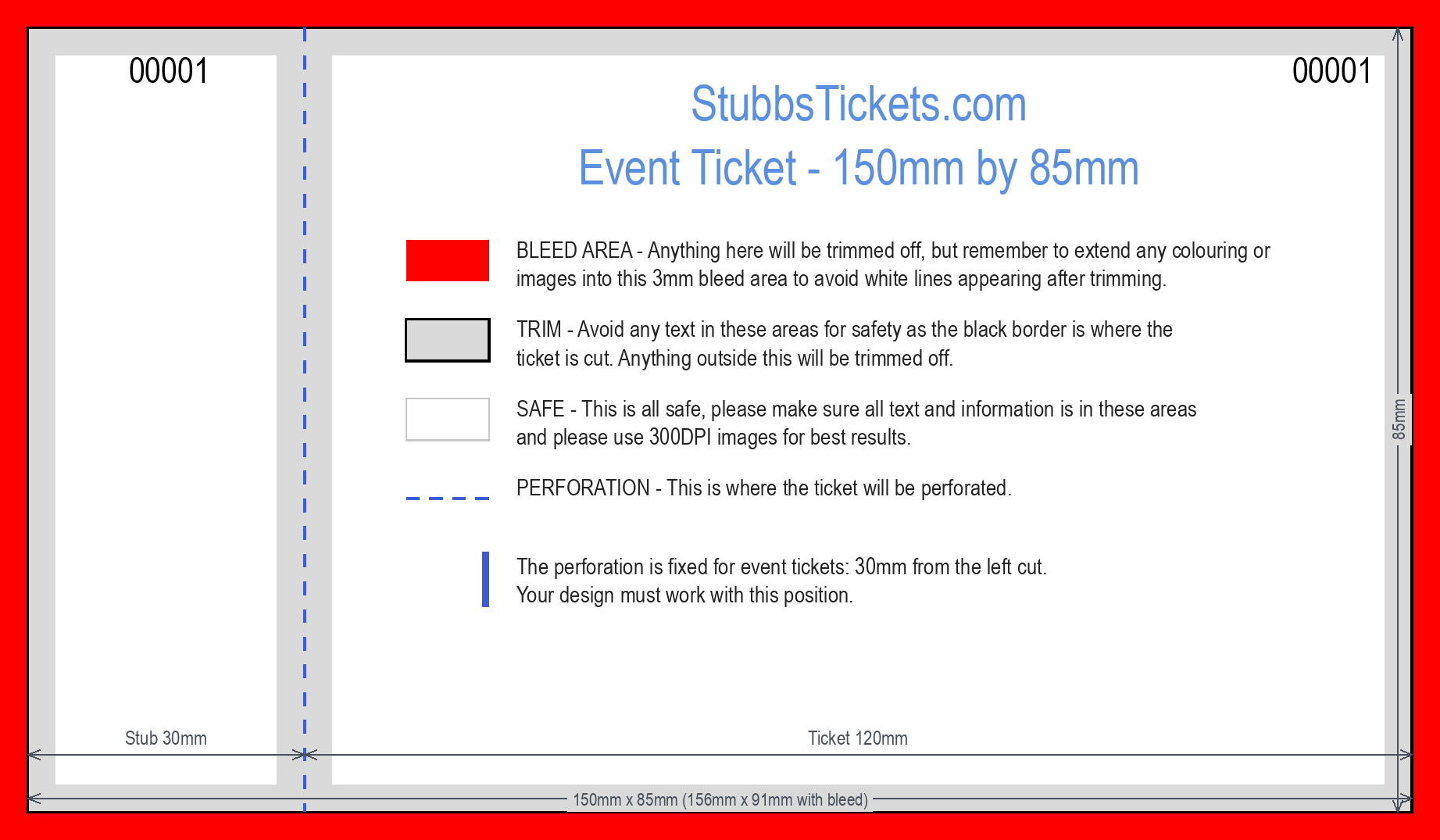
Make your design 156mm x 91mm. That is the ticket, 150mm x 85mm, plus 3mm extra all round. The extra 3mm gets cut off. Printers call it "bleed".
The three colours on the guide
- Red: this gets cut off. Stretch your background into it.
- Grey: too close to the edge. No words here.
- White: safe. Put all your words here.
The tear line (perforation)
Every ticket has one tear line, always in the same place: 30mm from the left cut.
The stub is the small part to the left of the perforation. It tears off.
Never put words on the tear line.
Leave the numbers to us
We print a number on every ticket for you. The numbers go where 00001 shows on the guide. Please do not add your own numbers.
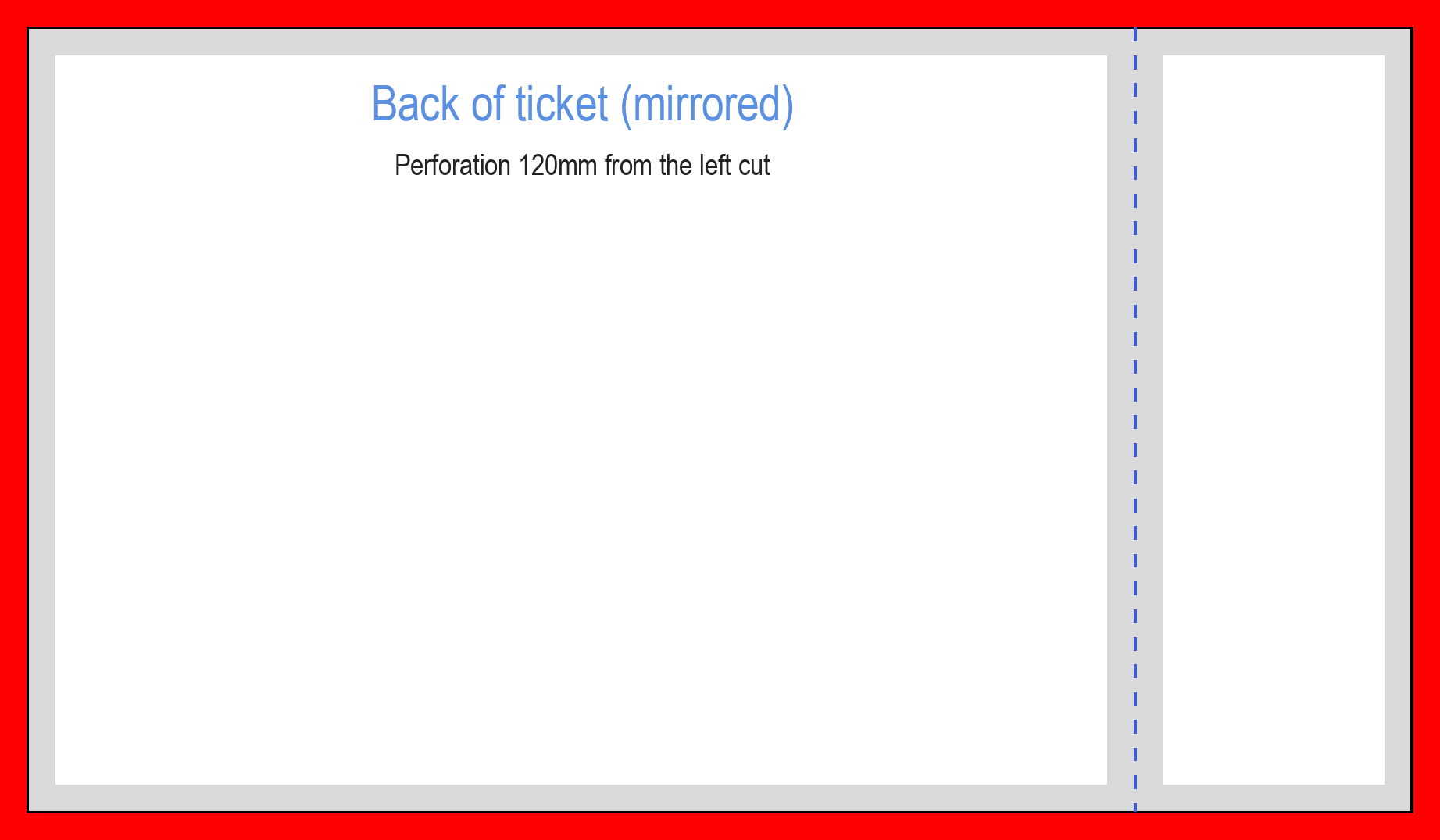
The back is mirrored
Turn a ticket over and left and right swap. So on the back, the stub is on the right.
Photos and pictures
Use big, sharp pictures. Not ones saved from Facebook or WhatsApp. Those are shrunk, so they print blurry. Printers call this "300dpi".
Colours
Screens glow. Paper does not. So colours print a little softer than on your screen. That is normal. Very bright neon colours change the most.
Making it in Canva, step by step
- Click "Create a design", then "Custom size".
- Choose mm. Width 156, height 91. Click "Create new design".
- Upload our guide picture (the PNG): "Uploads", then "Upload files".
- Drag it onto your page so it fills it, edge to edge.
- Design on top. Keep your words in the white areas.
- Finished? Click the guide picture and delete it.
- Click "Share", then "Download". Pick "PDF Print".
- Leave "Crop marks and bleed" unticked. Your page already has its 3mm bleed. Click "Download". That is your file.
Canva moves its buttons now and then. If a word looks different, look for the nearest match.
Using Word or Publisher?
Set the page to 156mm x 91mm, with no margins. Put our guide picture behind everything, page sized. Design on top, remove the guide, then save as a PDF.
The six most common mistakes
- Words sitting on top of the tear line.
- Adding your own ticket numbers.
- No background in the red area, so white edges show.
- Forgetting the back is mirrored.
- Blurry photos.
- The wrong size.
Before you send, tick every box
How to send it
Ordering now? Pick "Upload Your Own Artwork" on the order page, then add your file.
Had a proof email from us? Reply to it with your file attached.
We always send you a proof before we print.